Visualisation avec Matplotlib
Cours · Python (école d'ingénieur), chapitre 9 · école d'ingénieur, informatique · le début du chapitre, la suite sur Adloun
9.1 Introduction et Motivation
Pour analyser le comportement d'un algorithme numérique, étudier l'évolution d'une EDO physique ou présenter des résultats expérimentaux, les chiffres bruts dans la console sont insuffisants. Une visualisation graphique parlante est indispensable. La bibliothèque Matplotlib (et particulièrement son sous-module pyplot) est le standard industriel sous Python pour créer des tracés 2D et 3D de qualité publication (courbes, histogrammes, champs de vecteurs). Ce chapitre présente les fonctionnalités fondamentales de tracé, de personnalisation des axes, des légendes, des styles graphiques, ainsi que les différents types de graphiques utiles en analyse de données.
Matplotlib ne fait pas partie de la bibliothèque standard. Il doit être installé avec :
pip install matplotlibL'import standard est :
import matplotlib.pyplot as plt
import numpy as np # souvent utilisé conjointement
9.2 Premier Tracé avec plt.plot()
9.2.1 Création d'une figure simple
Le module matplotlib.pyplot (alias plt) fournit une interface de style MATLAB. La création d'un tracé comprend :
plt.figure(figsize=(largeur, hauteur)): Crée une nouvelle figure (optionnel).plt.plot(x, y): Dessine la courbe reliant les points .plt.show(): Affiche la figure à l'écran.
import numpy as np
import matplotlib.pyplot as plt

x = np.linspace(0, 2 * np.pi, 100)
y = np.sin(x)

plt.figure(figsize=(8, 5))
plt.plot(x, y)
plt.title("Fonction sinus")
plt.xlabel("x (radians)")
plt.ylabel("sin(x)")
plt.grid(True)
plt.show()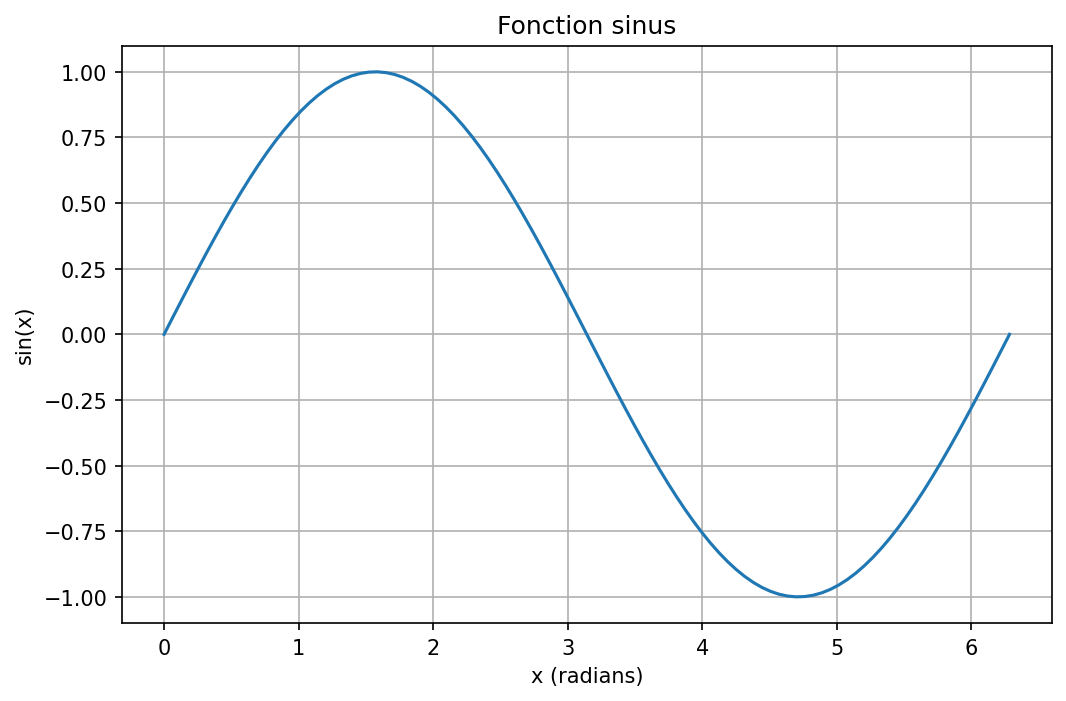
9.2.2 Personnalisation des courbes
La fonction plot accepte des chaînes de formatage : 'couleur+marqueur+style' :
- Couleurs :
'b'(bleu),'r'(rouge),'g'(vert),'k'(noir),'m'(magenta), etc. - Marqueurs :
'o'(cercle),'s'(carré),'\string^'(triangle),'.'(point) - Styles :
'-'(trait plein),'--'(tirets),':'(pointillés),'-.'(trait-point)
On peut aussi utiliser des paramètres nommés : color, linestyle, marker, linewidth, markersize.
x = np.linspace(0, 2 * np.pi, 100)

plt.figure(figsize=(10, 6))

plt.plot(x, np.sin(x), 'r-', linewidth=2, label='Sinus')
plt.plot(x, np.cos(x), 'b--', linewidth=2, label='Cosinus')
plt.plot(x, np.sin(x) + 0.5 * np.cos(3*x), 'g:', linewidth=1.5, label='Somme')

plt.xlabel("Angle (rad)")
plt.ylabel("Valeur")
plt.title("Fonctions trigonométriques et superposition")
plt.legend(loc='best')
plt.grid(True, alpha=0.3)
plt.show()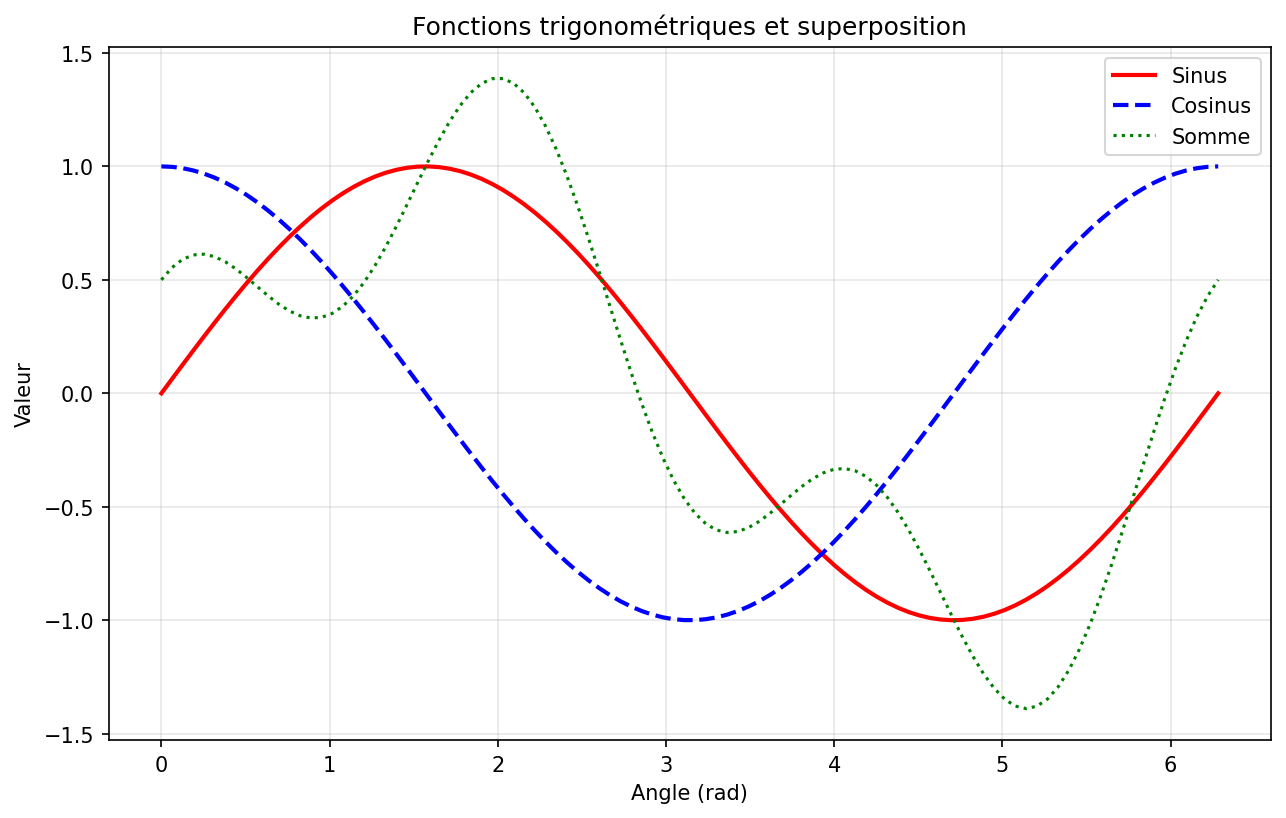
9.2.3 Sauvegarde des figures
# Sauvegarde avant affichage (ou après, mais avant plt.show() peut être problématique)
plt.savefig("mon_graphique.png", dpi=300, bbox_inches='tight')
plt.savefig("mon_graphique.pdf") # Format vectoriel pour publications
plt.savefig("mon_graphique.svg") # Format vectoriel pour le web
9.3 Subplots - Plusieurs Graphiques Côte à Côte
9.3.1 Méthode 1 : plt.subplot() (interface pyplot)
subplotplt.subplot(nrows, ncols, index) divise la figure en une grille et active la cellule spécifiée (index de 1 à nrows ncols).
x = np.linspace(0, 2 * np.pi, 100)

plt.figure(figsize=(12, 8))

# Subplot 1 : sinus
plt.subplot(2, 2, 1)
plt.plot(x, np.sin(x), 'r-')
plt.title("sin(x)")
plt.grid(True)

# Subplot 2 : cosinus
plt.subplot(2, 2, 2)
plt.plot(x, np.cos(x), 'b-')
plt.title("cos(x)")
plt.grid(True)

# Subplot 3 : tangente (attention aux asymptotes)
plt.subplot(2, 2, 3)
plt.plot(x, np.tan(x), 'g-')
plt.ylim(-5, 5)
plt.title("tan(x)")
plt.grid(True)

# Subplot 4 : sinus cardinal
plt.subplot(2, 2, 4)
sinc = np.sin(x) / (x + 1e-10) # éviter division par zéro
plt.plot(x, sinc, 'm-')
plt.title("sinc(x)")
plt.grid(True)

plt.tight_layout() # Ajuste automatiquement les espacements
plt.show()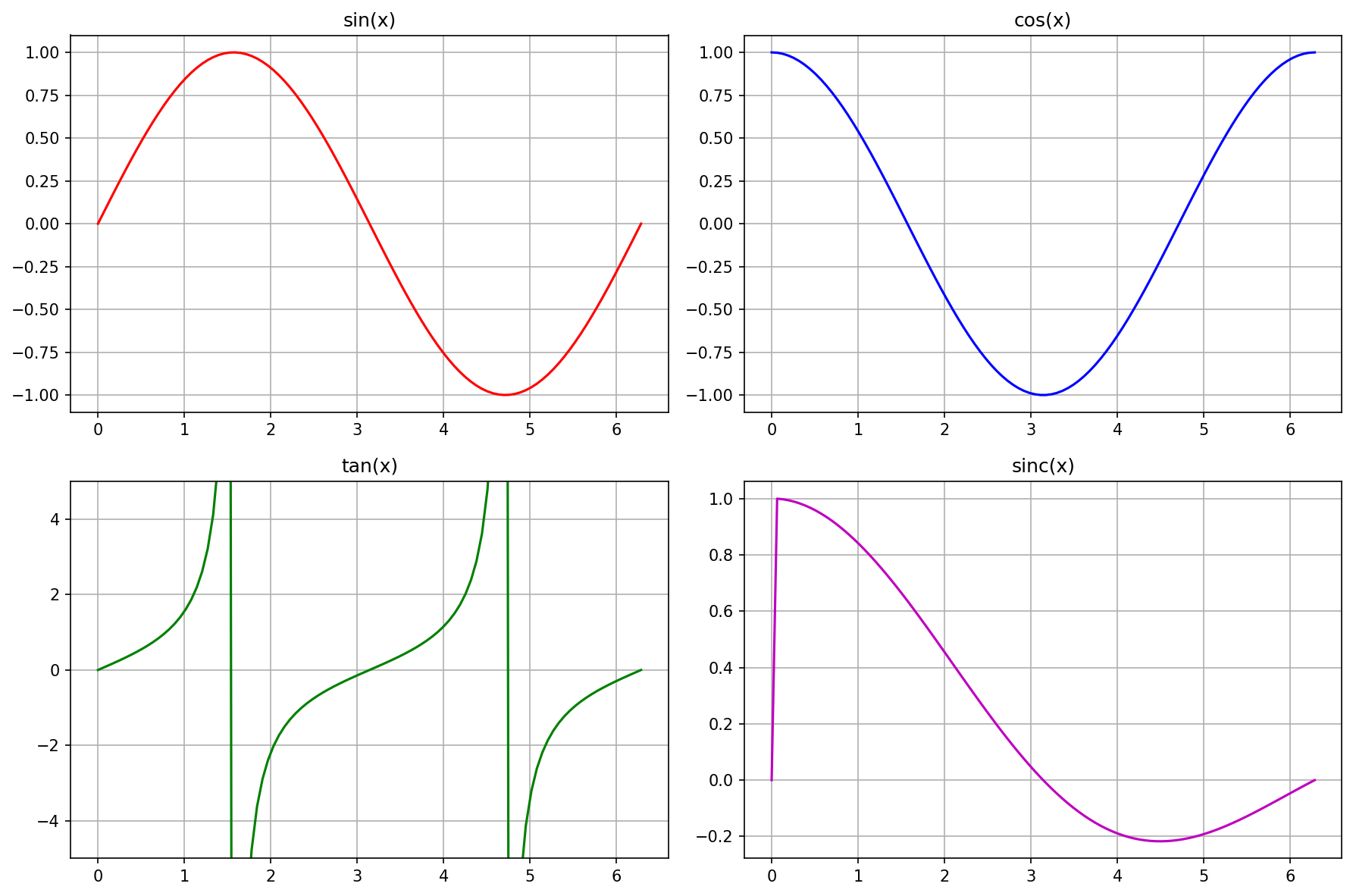
plt.subplot.9.3.2 Méthode 2 : plt.subplots() (approche orientée objet)
L'approche orientée objet est plus propre pour les figures complexes.
fig, axes = plt.subplots(2, 2, figsize=(12, 8))

# axes est un tableau 2x2 d'objets Axes
axes[0, 0].plot(x, np.sin(x), 'r-')
axes[0, 0].set_title("sin(x)")
axes[0, 0].grid(True)

axes[0, 1].plot(x, np.cos(x), 'b-')
axes[0, 1].set_title("cos(x)")
axes[0, 1].grid(True)

axes[1, 0].plot(x, np.tan(x), 'g-')
axes[1, 0].set_ylim(-5, 5)
axes[1, 0].set_title("tan(x)")
axes[1, 0].grid(True)

axes[1, 1].plot(x, np.sin(x)/(x+1e-10), 'm-')
axes[1, 1].set_title("sinc(x)")
axes[1, 1].grid(True)

plt.tight_layout()
plt.show()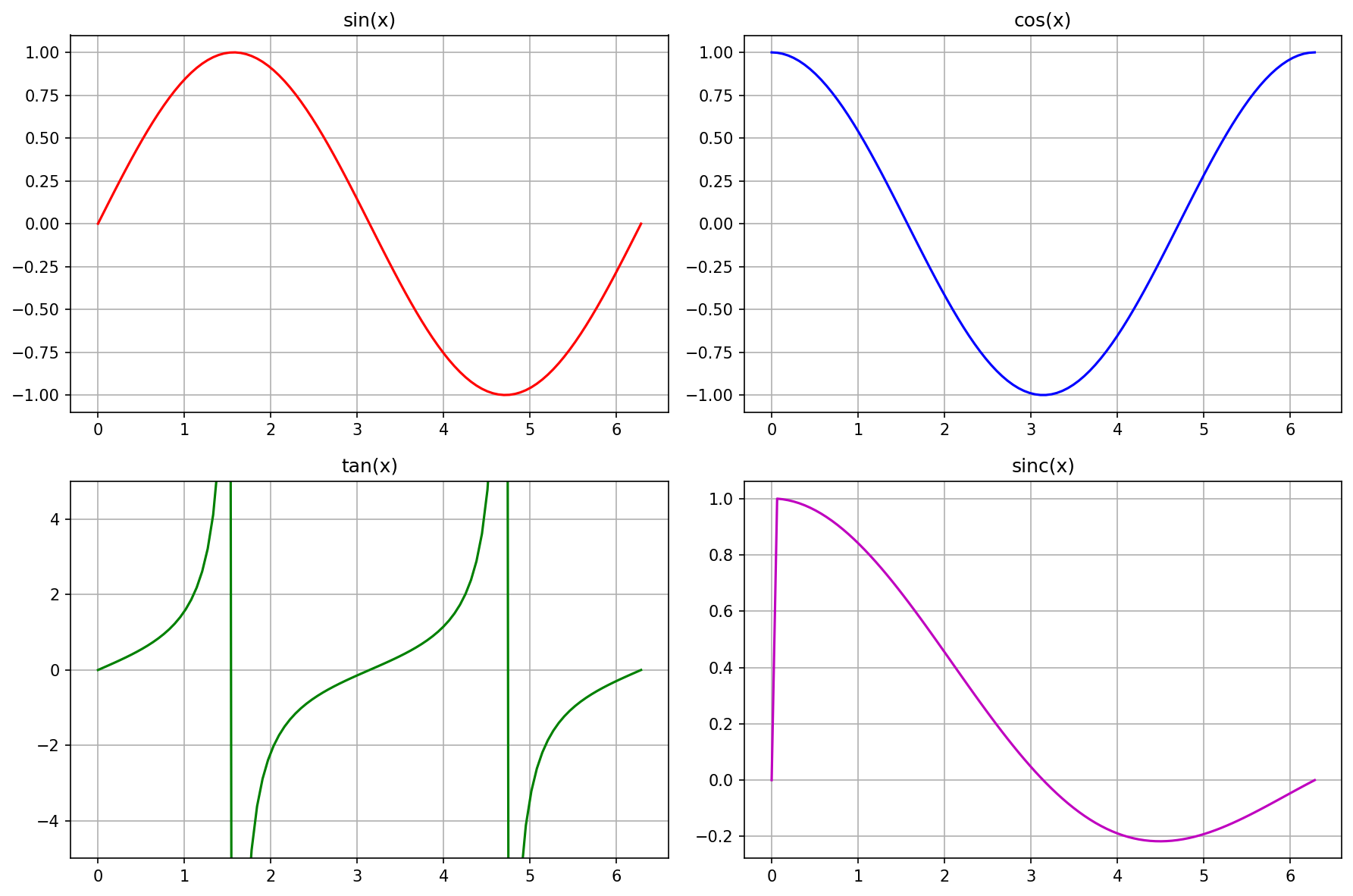
plt.subplots.9.4 Autres Types de Graphiques Essentiels
9.4.1 Nuage de points (plt.scatter)
np.random.seed(42)
n = 100
x = np.random.randn(n)
y = 2 * x + 0.5 * np.random.randn(n) # corrélation linéaire avec bruit

plt.figure(figsize=(8, 6))
plt.scatter(x, y, alpha=0.6, c=y, cmap='viridis')
plt.colorbar(label='Valeur de y')
plt.xlabel("x")
plt.ylabel("y")
plt.title("Nuage de points avec gradient de couleur")
plt.grid(True, alpha=0.3)
plt.show()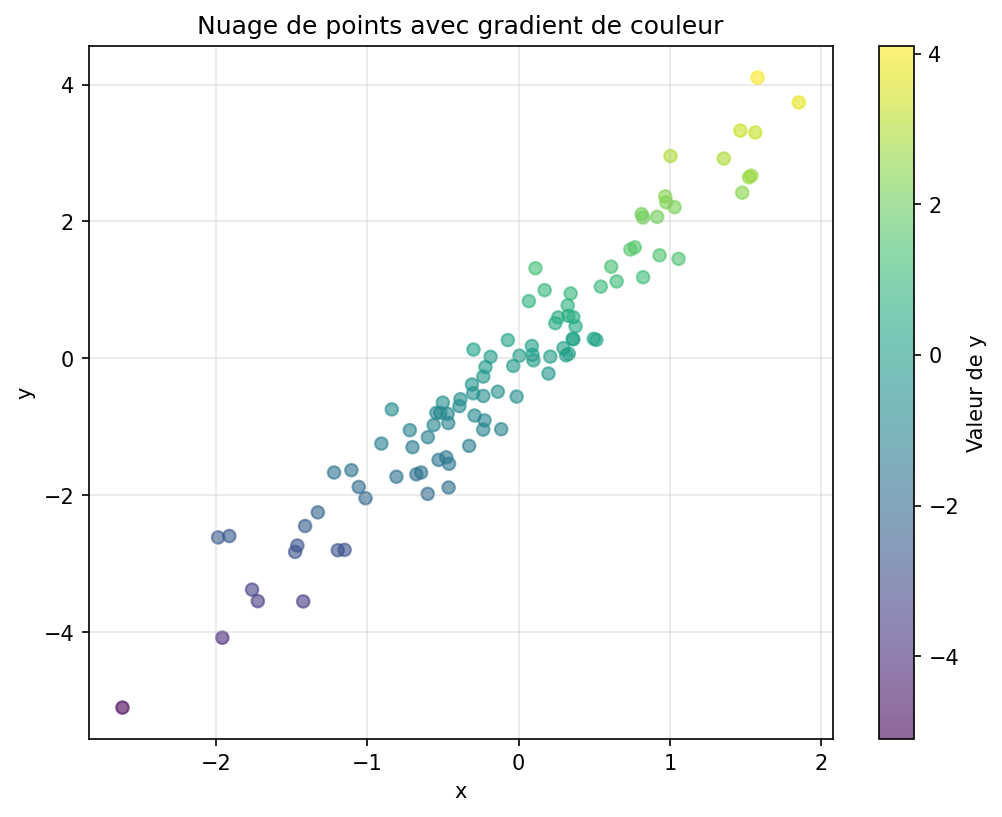
9.4.2 Histogrammes (plt.hist)
data = np.random.randn(1000)

plt.figure(figsize=(8, 6))
plt.hist(data, bins=30, density=True, alpha=0.7, color='steelblue', edgecolor='black')
plt.xlabel("Valeur")
plt.ylabel("Densité")
plt.title("Histogramme d'une distribution normale")
plt.grid(True, alpha=0.3)

# Superposition de la densité théorique
x = np.linspace(-4, 4, 100)
y = 1/np.sqrt(2*np.pi) * np.exp(-x**2 / 2)
plt.plot(x, y, 'r-', linewidth=2, label="N(0,1) théorique")
plt.legend()
plt.show()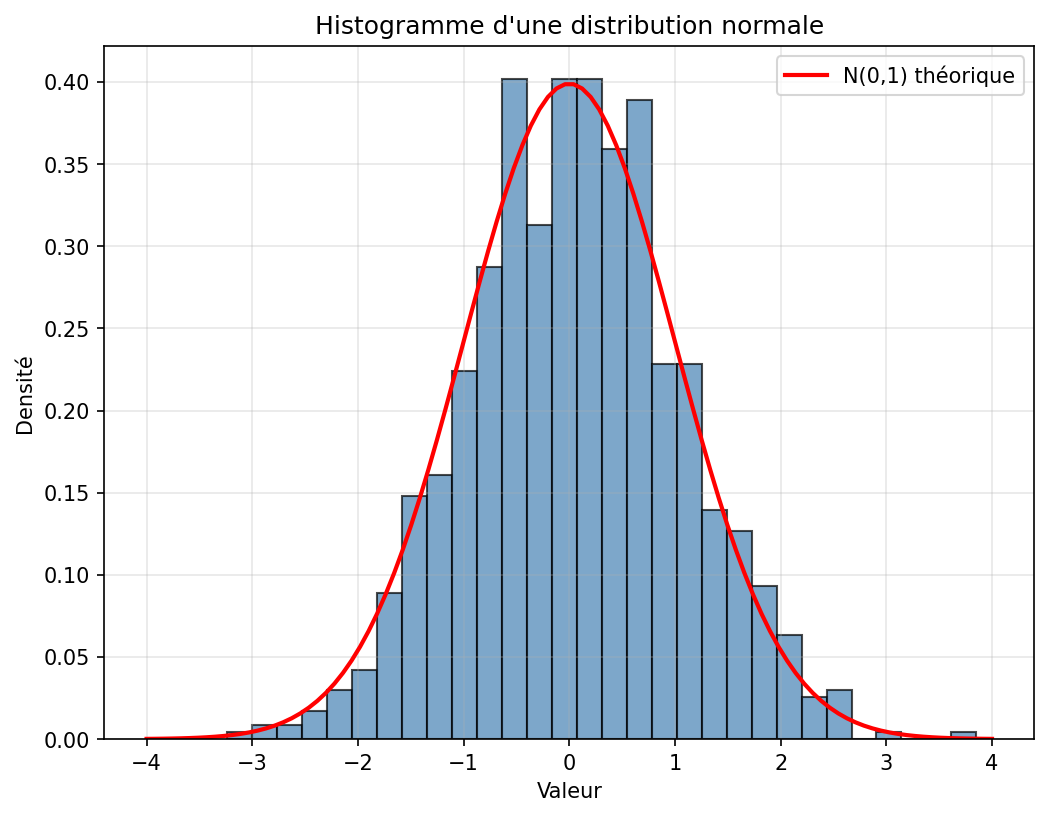
9.4.3 Diagrammes en barres (plt.bar)
matieres = ['Maths', 'Physique', 'Informatique', 'Anglais', 'Biologie']
notes = [15.5, 14.2, 17.8, 12.5, 13.8]
couleurs = ['#1f77b4', '#ff7f0e', '#2ca02c', '#d62728', '#9467bd']

plt.figure(figsize=(10, 6))
bars = plt.bar(matieres, notes, color=couleurs, edgecolor='black', linewidth=1.5)

# Ajout des valeurs sur les barres
for bar, note in zip(bars, notes):
    plt.text(bar.get_x() + bar.get_width()/2, bar.get_height() + 0.2,
             f'{note:.1f}', ha='center', va='bottom', fontsize=11)

plt.ylabel("Note (/20)")
plt.title("Notes par matière")
plt.ylim(0, 20)
plt.grid(True, axis='y', alpha=0.3)
plt.show()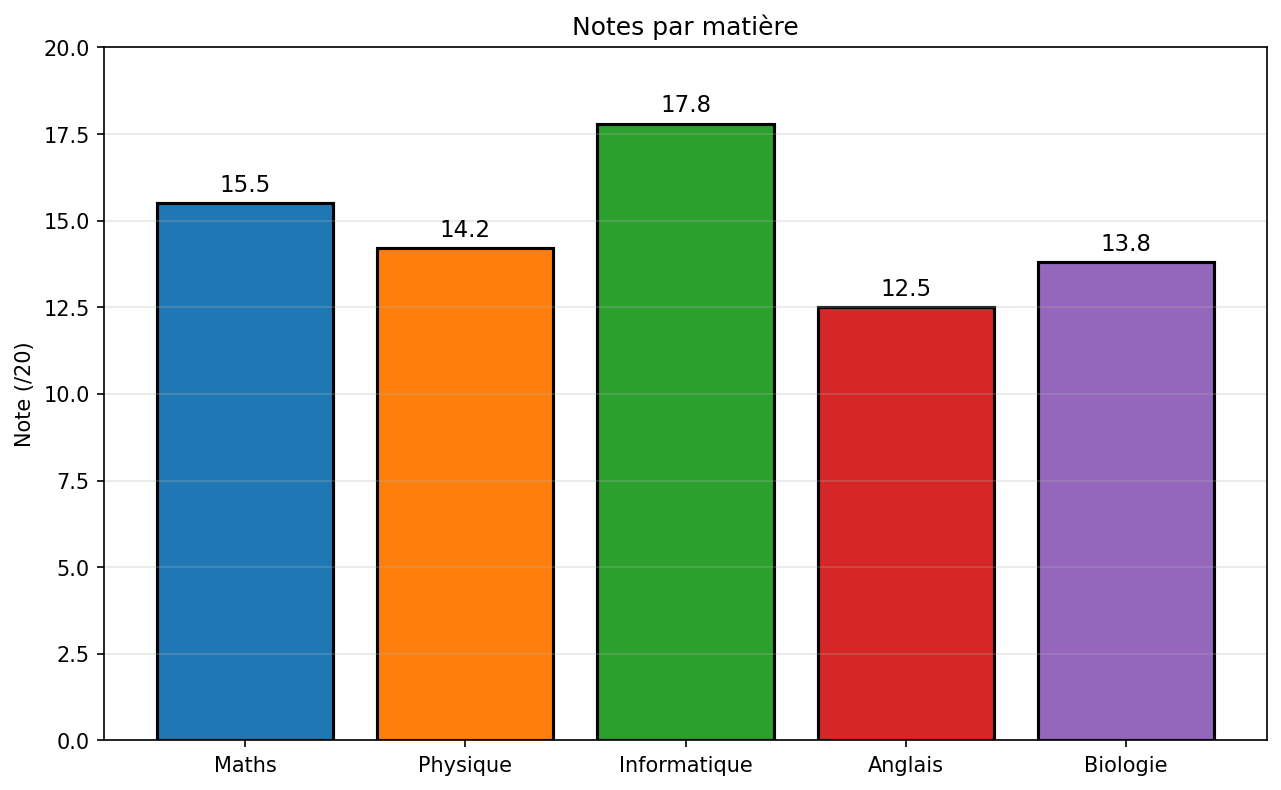
9.4.4 Boîtes à moustaches (plt.boxplot)
np.random.seed(42)
data = [np.random.normal(0, 1, 100),
        np.random.normal(2, 1.5, 100),
        np.random.normal(-1, 0.8, 100),
        np.random.normal(1, 2, 100)]

plt.figure(figsize=(10, 6))
bp = plt.boxplot(data, labels=['Groupe A', 'Groupe B', 'Groupe C', 'Groupe D'],
                 patch_artist=True, notch=True)

# Personnalisation des couleurs
colors = ['lightblue', 'lightgreen', 'lightcoral', 'lightyellow']
for patch, color in zip(bp['boxes'], colors):
    patch.set_facecolor(color)

plt.ylabel("Valeur")
plt.title("Comparaison de quatre distributions")
plt.grid(True, axis='y', alpha=0.3)
plt.show()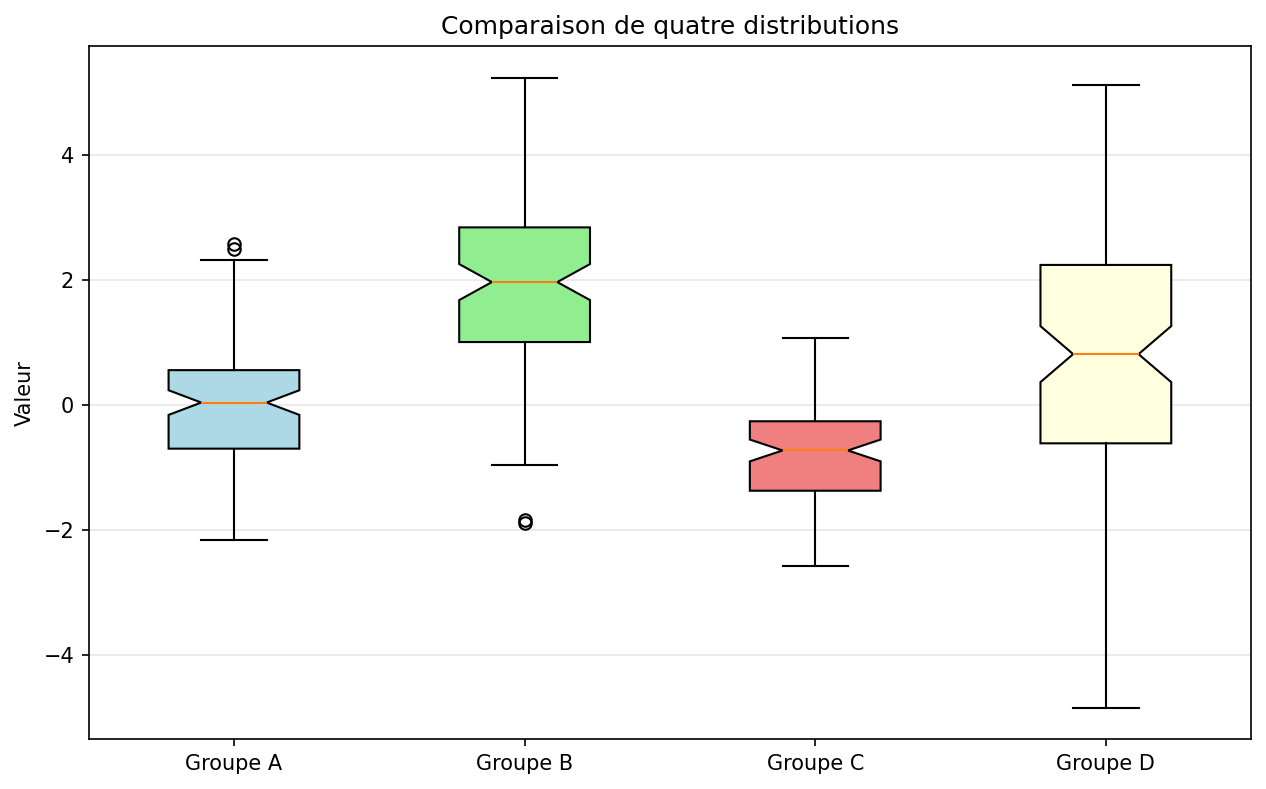
9.4.5 Heatmaps (plt.imshow)
# Création d'une matrice de corrélation artificielle
np.random.seed(42)
n_var = 8
corr = np.random.randn(n_var, n_var)
corr = np.corrcoef(corr) # rend la matrice symétrique définie positive

plt.figure(figsize=(10, 8))
im = plt.imshow(corr, cmap='RdBu_r', vmin=-1, vmax=1)
plt.colorbar(im, label='Coefficient de corrélation')

# Ajout des valeurs dans les cellules
for i in range(n_var):
    for j in range(n_var):
        plt.text(j, i, f'{corr[i, j]:.2f}',
                 ha='center', va='center', fontsize=9,
                 color='white' if abs(corr[i, j]) > 0.5 else 'black')

plt.xticks(range(n_var), [f'Var{i+1}' for i in range(n_var)])
plt.yticks(range(n_var), [f'Var{i+1}' for i in range(n_var)])
plt.title("Matrice de corrélation")
plt.tight_layout()
plt.show()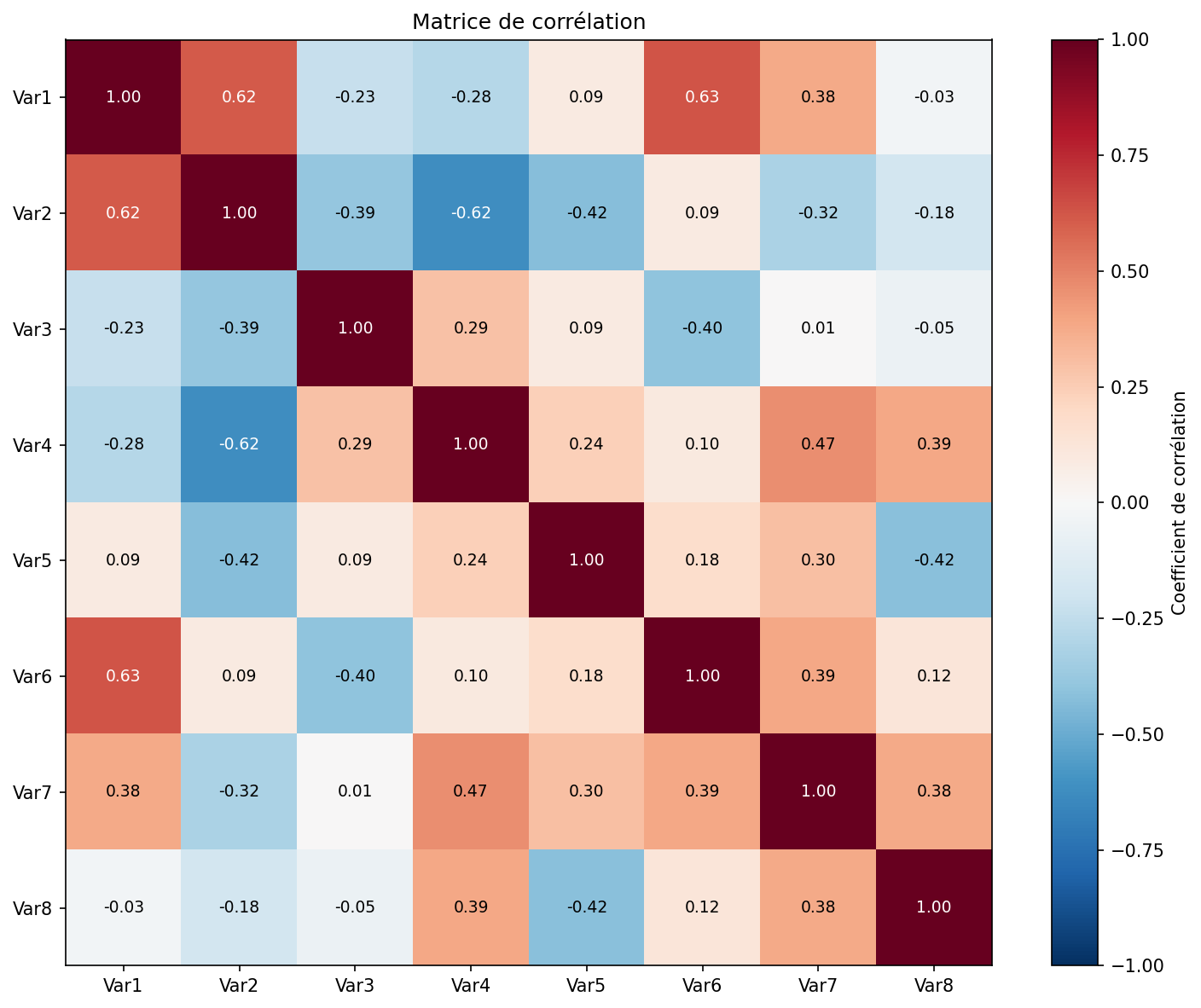
9.5 Personnalisation Avancée
9.5.1 Échelles logarithmiques
x = np.logspace(0, 3, 50)
y1 = x ** 2
y2 = 10 * x ** 1.5

plt.figure(figsize=(8, 6))
plt.loglog(x, y1, 'r-', linewidth=2, label='$x^2$')
plt.loglog(x, y2, 'b--', linewidth=2, label='$10x^{1.5}$')
plt.xlabel("x (échelle log)")
plt.ylabel("y (échelle log)")
plt.title("Tracé log-log")
plt.legend()
plt.grid(True, which='both', alpha=0.3)
plt.show()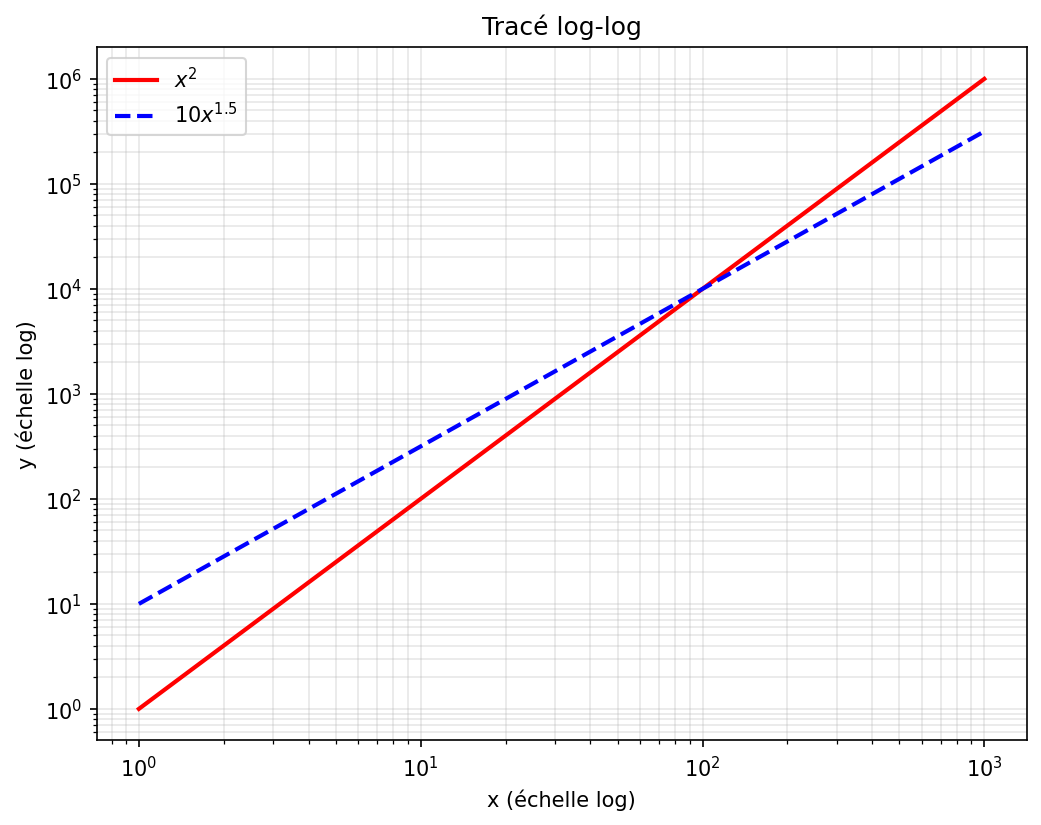
9.5.2 Limites et Ticks personnalisés
x = np.linspace(0, 2*np.pi, 100)
y = np.sin(x)

plt.figure(figsize=(8, 5))
plt.plot(x, y, 'b-', linewidth=2)

# Personnalisation des ticks
plt.xticks([0, np.pi/2, np.pi, 3*np.pi/2, 2*np.pi],
           ['0', r'$\pi/2$', r'$\pi$', r'$3\pi/2$', r'$2\pi$'])
plt.yticks([-1, -0.5, 0, 0.5, 1])

# Limites
plt.xlim(0, 2*np.pi)
plt.ylim(-1.1, 1.1)

plt.title("Sinus avec ticks personnalisés")
plt.grid(True, alpha=0.3)
plt.show()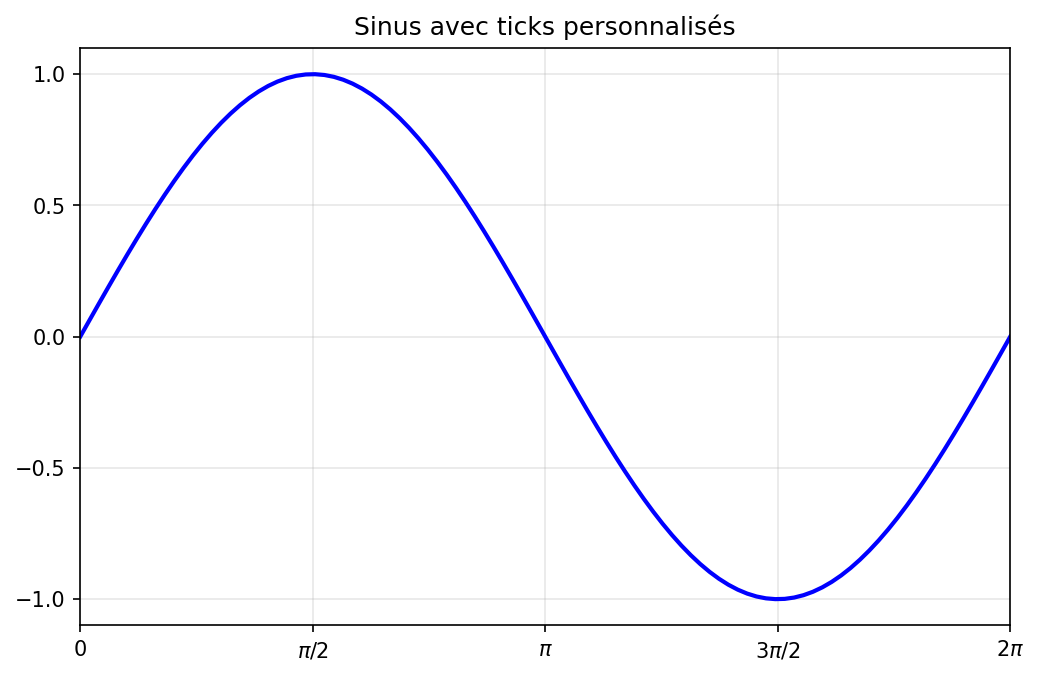
9.5.3 Annotations
x = np.linspace(0, 2*np.pi, 100)
y = np.sin(x)

plt.figure(figsize=(8, 5))
plt.plot(x, y, 'b-', linewidth=2)

# Annotation du maximum
x_max = np.pi/2
y_max = 1
plt.plot(x_max, y_max, 'ro', markersize=8)
plt.annotate('Maximum local', xy=(x_max, y_max),
             xytext=(x_max + 0.5, y_max + 0.2),
             arrowprops=dict(arrowstyle='->', color='red'),
             fontsize=11)

# Annotation du zéro
plt.annotate(r'$\sin(\pi)=0$', xy=(np.pi, 0), xytext=(np.pi + 0.5, -0.5),
             arrowprops=dict(arrowstyle='->'), fontsize=10)

plt.xlabel("x")
plt.ylabel("sin(x)")
plt.title("Courbe avec annotations")
plt.grid(True, alpha=0.3)
plt.show()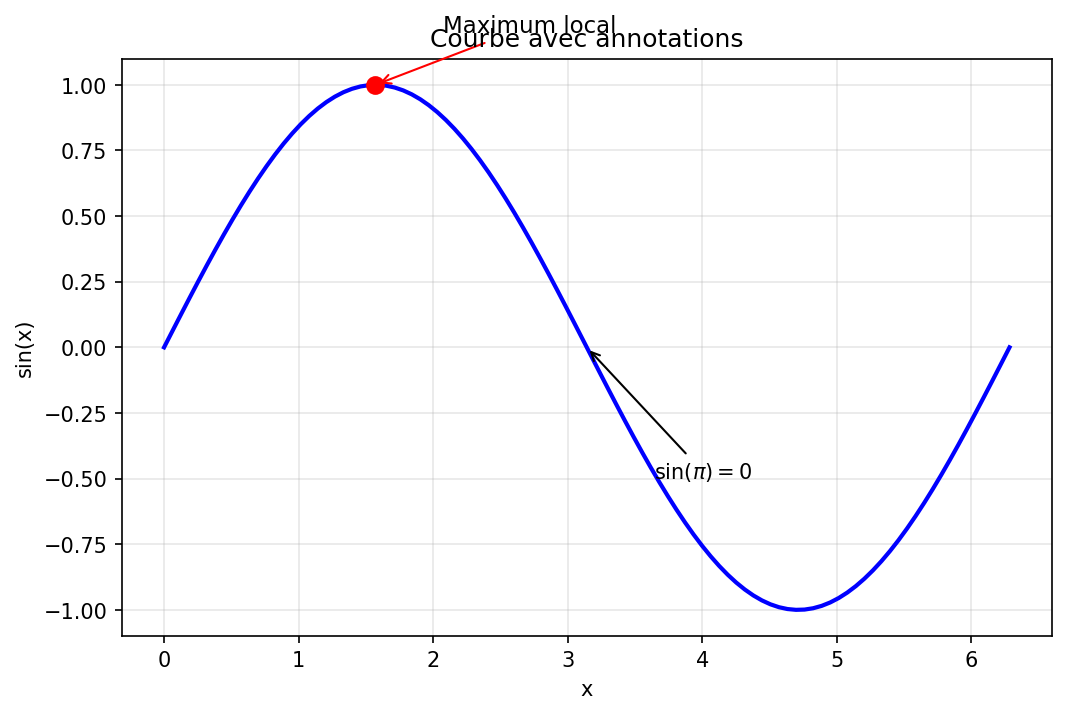
La suite du cours est sur Adloun
Le chapitre en entier, formules et figures comprises, avec le tuteur, les fiches, les QCM et les exercices.
Lire la suite du coursEn accès libre, sans inscription.